



You’re enjoying lunch at a Parisian cafe when out of nowhere a thief snatches your iPhone off the table. In an instant, he vanishes down a side alley. What do you do next?
For full time nomads, losing a phone is much more than an inconvenience - it’s the gateway to text messages, upcoming travel bookings, mobile tickets, maps, bank accounts, file access, etc.
When a phone is stolen, victims often go into full freakout mode which impairs their ability to think clearly about what needs to be done immediately thereafter. Most people immediately fear the worst:
Can a thief lock me out of my phone and access all of its contents?
Can they get access to my bank apps and drain my account(s)?
Will they have access to two-factor authentication codes?
Can they change my email password?
What about my photos? And my phone!!!???
The “good” news is that, in most cases, a thief only wants your phone so they can sell it for quick cash.
Think like a thief to protect yourself
Thieves are opportunistic. You should be very careful about using your phone in public spaces in a manner that would make it easy to snatch from your hand or view your passcode. Phone thieves have been known to:
Grab phones by coming up from behind using electric bikes (quick getaway)
Snatch a phone off an outdoor dining table or bar (you are seated and cannot react quickly)
Steal it from an extended arm taking a selfie (easy pickings)
Deftly lift it from the back pocket of an unsuspecting tourist on the metro (you advertised it…)
If someone grabs a phone out of your hand while you are using it, that’s especially bad because your phone is unlocked. Tech-savvy thieves can also “shoulder surf” and watch you input your passcode. Either way, things can get ugly.
What you need to do immediately after your iPhone is stolen
First things first, your phone is gone and you’ll probably never see it again. Get over it. Pivot your anger and focus on cutting off access to its contents.
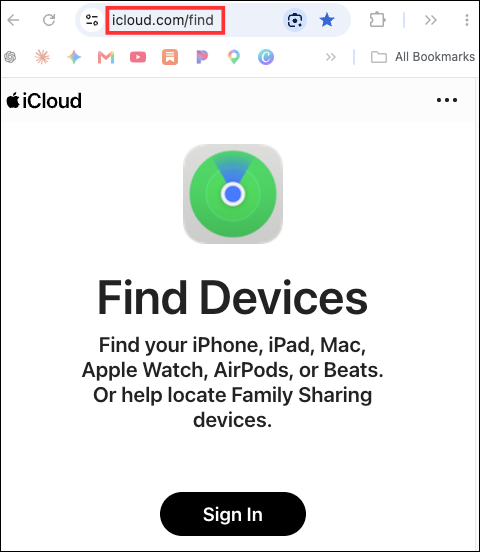
1. Visit www.icloud.com/find
Do this from any other device you have quick access to.
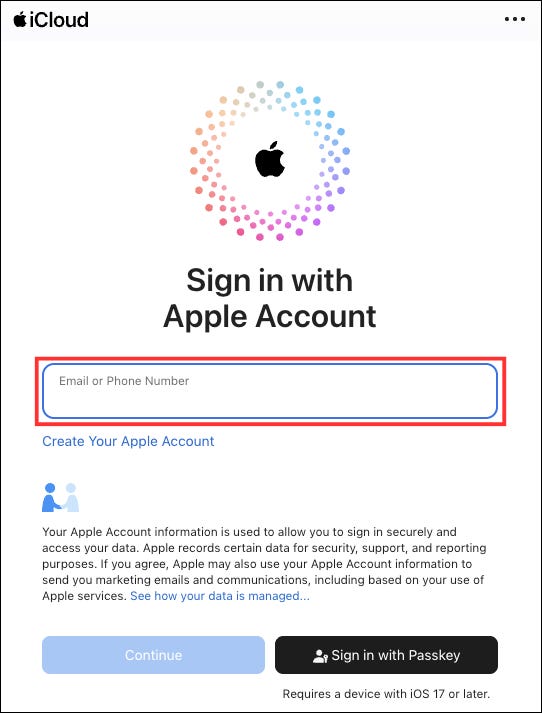
2. Log in to your Apple account
Make sure you always know your Apple password!
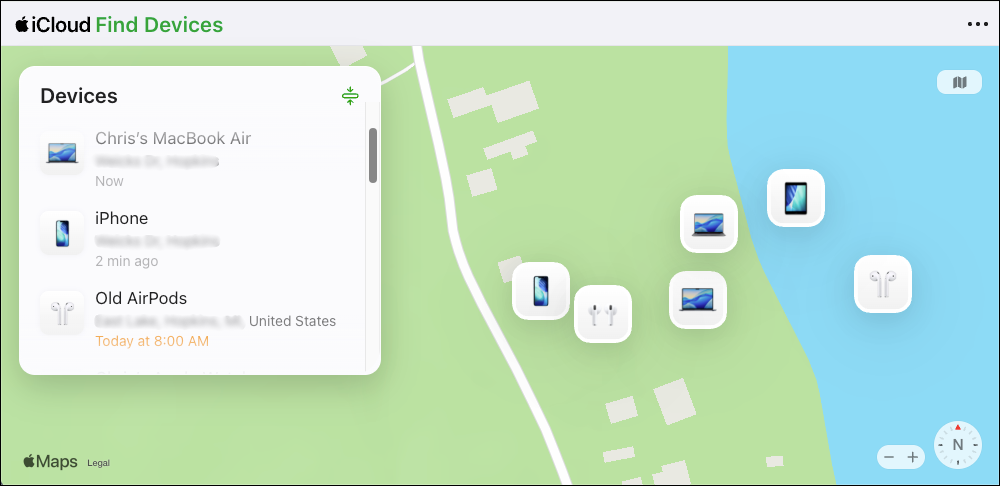
3. Select your phone from the list
Check the location to make sure it is your current phone and not an old one sitting in a drawer somewhere!
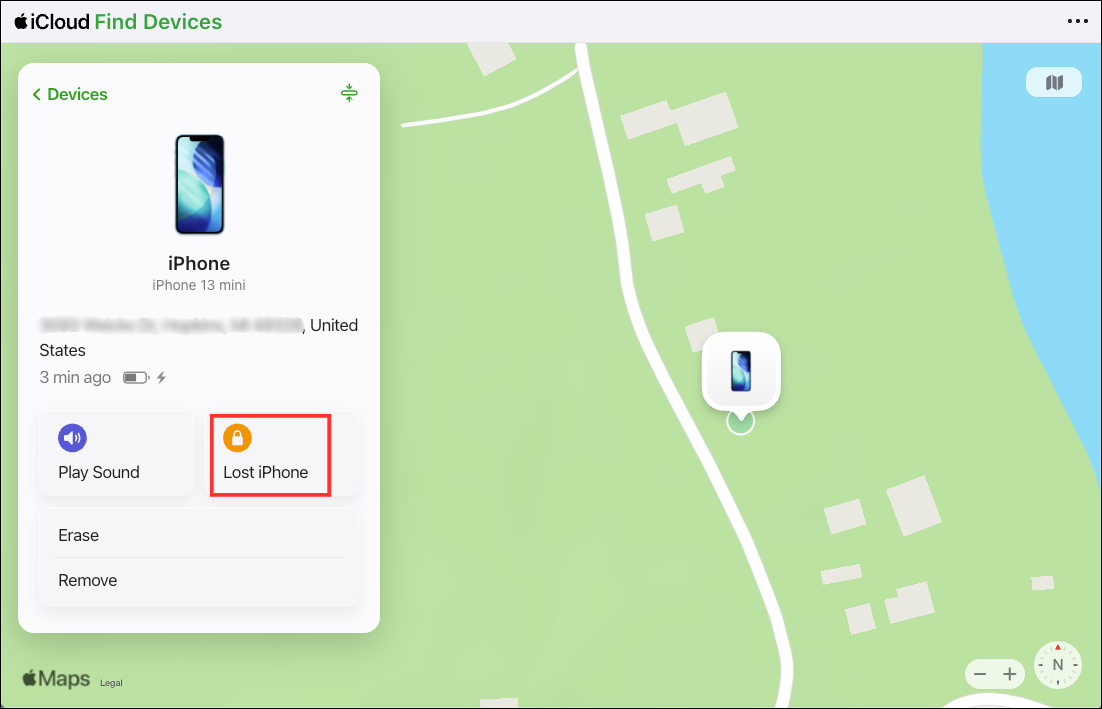
4. Erase your phone
If your phone was stolen when unlocked or you had NOT switched on Stolen Device Protection (read how to do so below), erase it. If you have enabled iCloud, you should be able to restore most/all contents later on your replacement phone and you’ll still be able to track your stolen phone using Find My on another device.
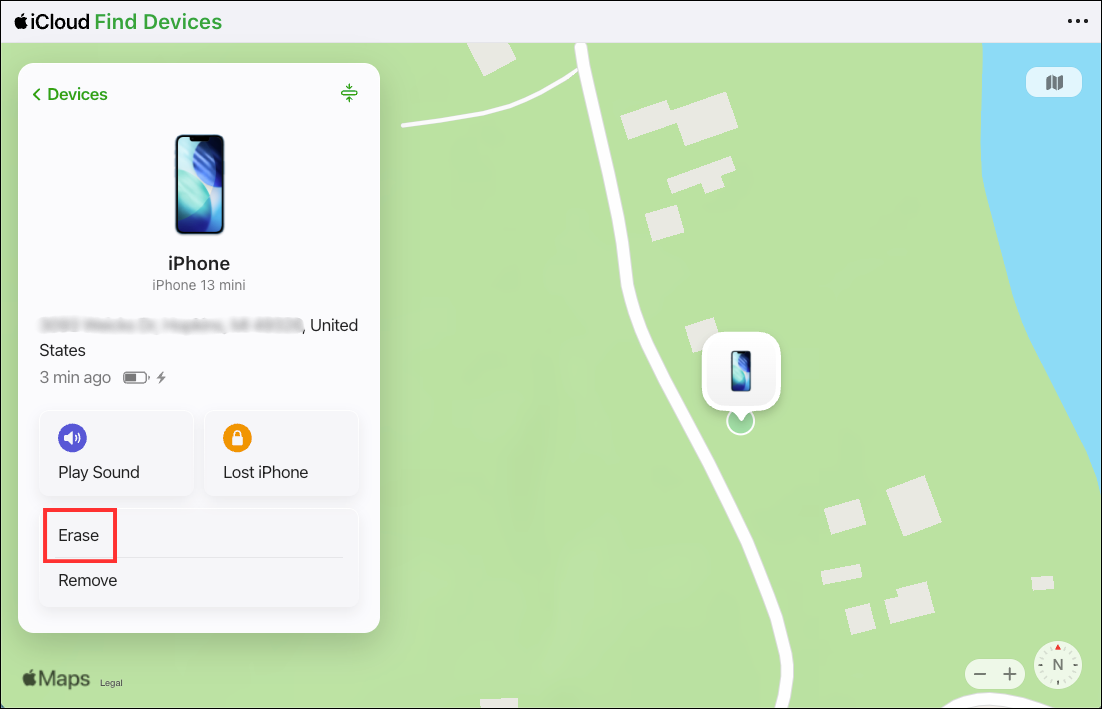
5. Or mark your phone as Lost
If the phone was locked when stolen and you are sure the thief does not have your passcode, mark it as lost. Generally you do this when you have accidentally left your phone somewhere, not when it has been stolen. Doing so will lock the phone and display a customizable message on your phone like: “This iPhone has been lost. Please contact Chris at +1-512-234-5678 if found.” Apple Pay will be suspended so you won’t have to worry about a thief using your credit cards even if they do have the passcode.
6. Contact your phone carrier
Log on to your account (or call them) to report your phone as stolen/lost. This will prevent a thief from porting out (transferring) your phone number to a different SIM they control. Ideally, you should do this before traveling.
7. Change passwords for any banking apps
If you had any financial apps installed on your phone, change passwords as a precaution.
Speed is essential. You really need to follow the steps above as quickly as possible. Not after lunch, not back at your hotel. Try to do steps 1-4 right there on the street where it happened…if you have access to another phone to do so. If you are traveling solo, or your partner does not have a phone, see if you can pop into a nearby hotel that has a business center, or maybe a library or co-working space.
What you can do right now to protect yourself
If you travel frequently - and especially if you travel full time - you should take extra precautions with your phone. Take 2-3 minutes and do the following right now.
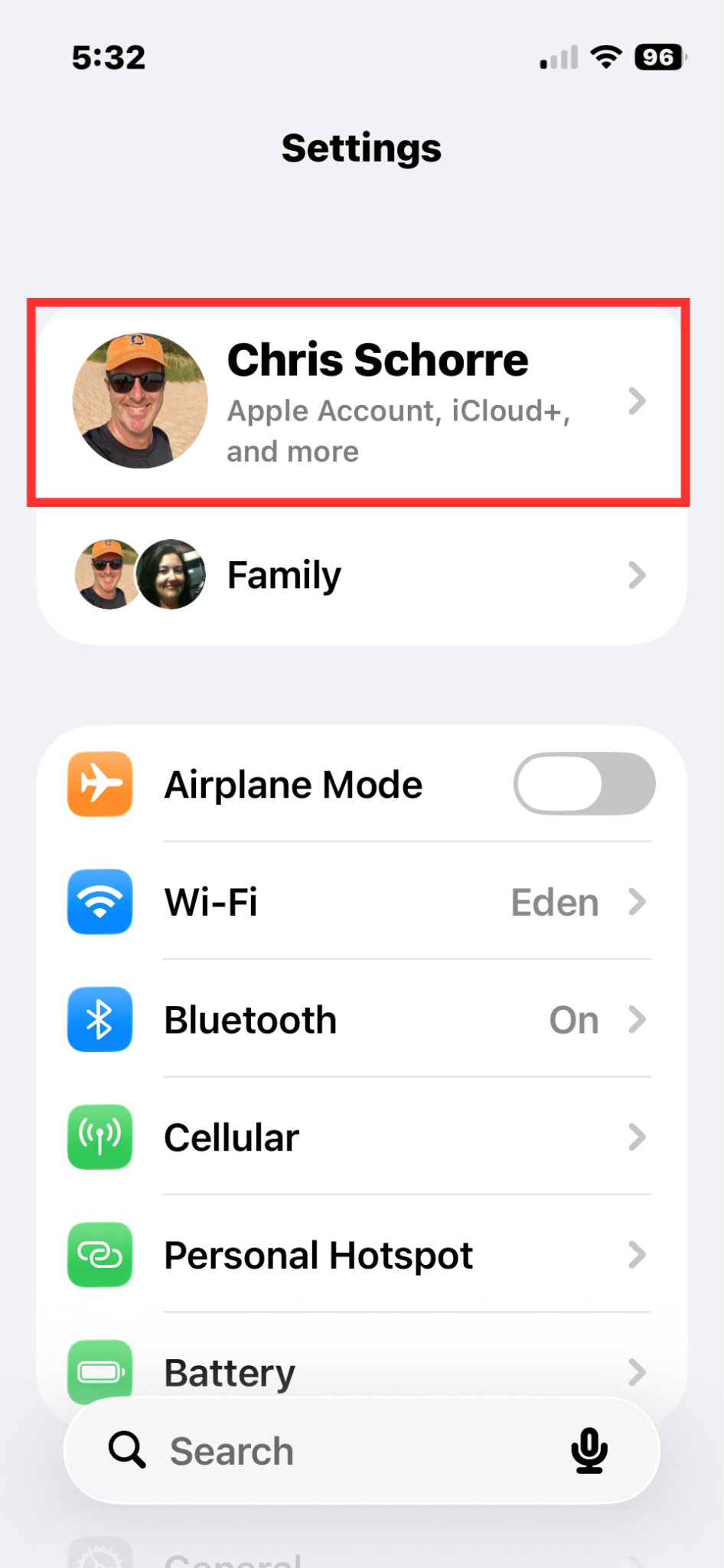
1. Make sure you have Find My enabled
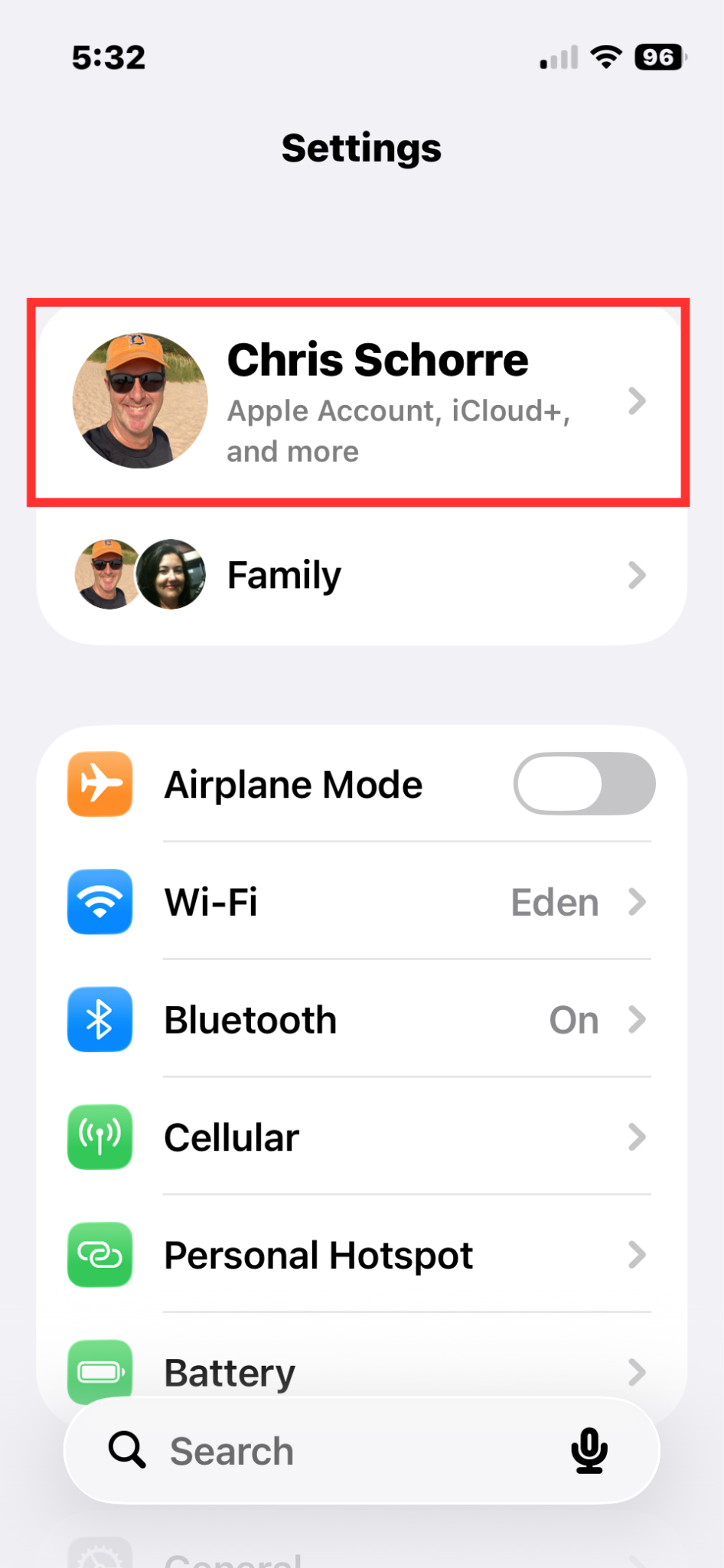
Go to Settings and tap on your name then scroll to Find My. Turn it on and click the Share My Location toggle.
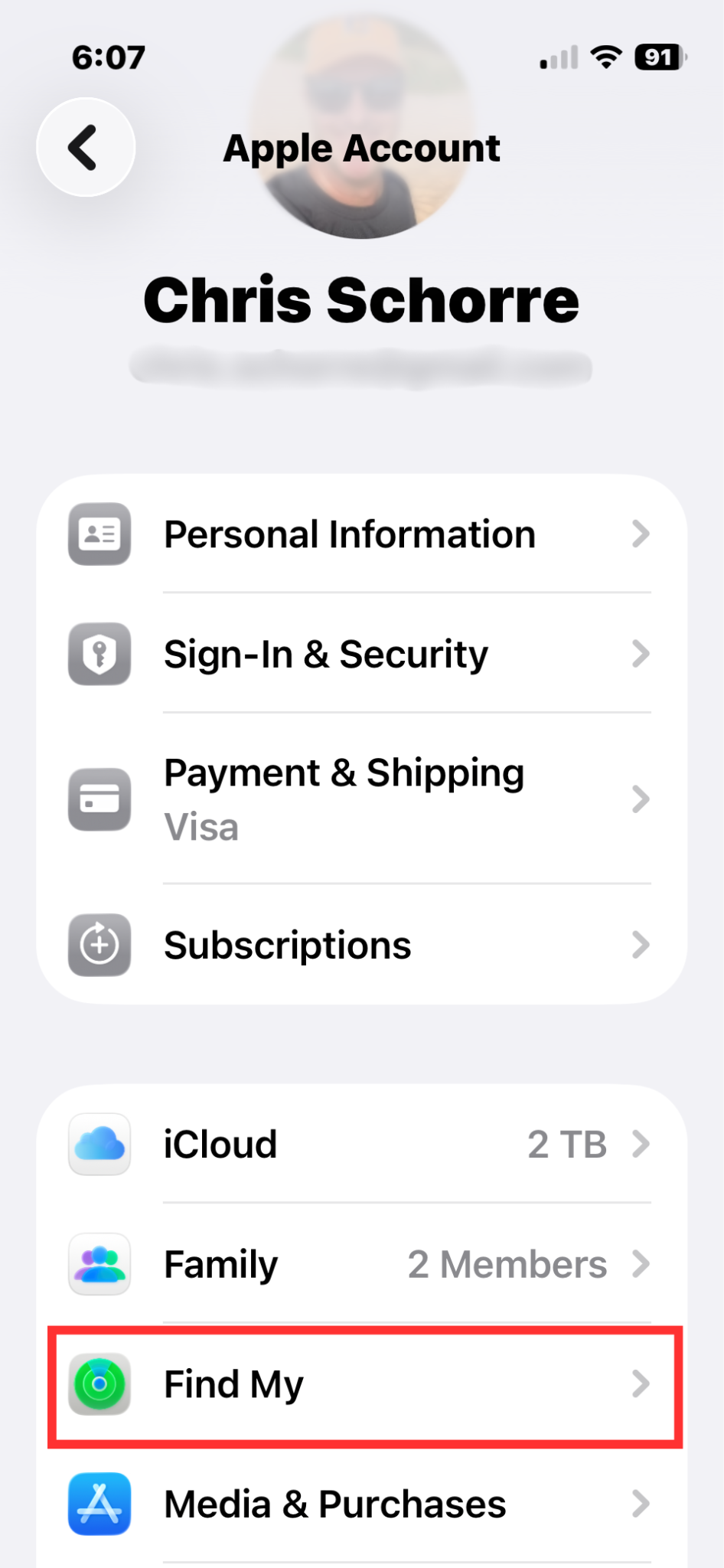
iPhones have a feature called Activation Lock that is automatically enabled when you turn on Find My. This means that a thief would need to know your Apple password in order to turn off the Find My setting on your device, sign out of iCloud or erase your phone.
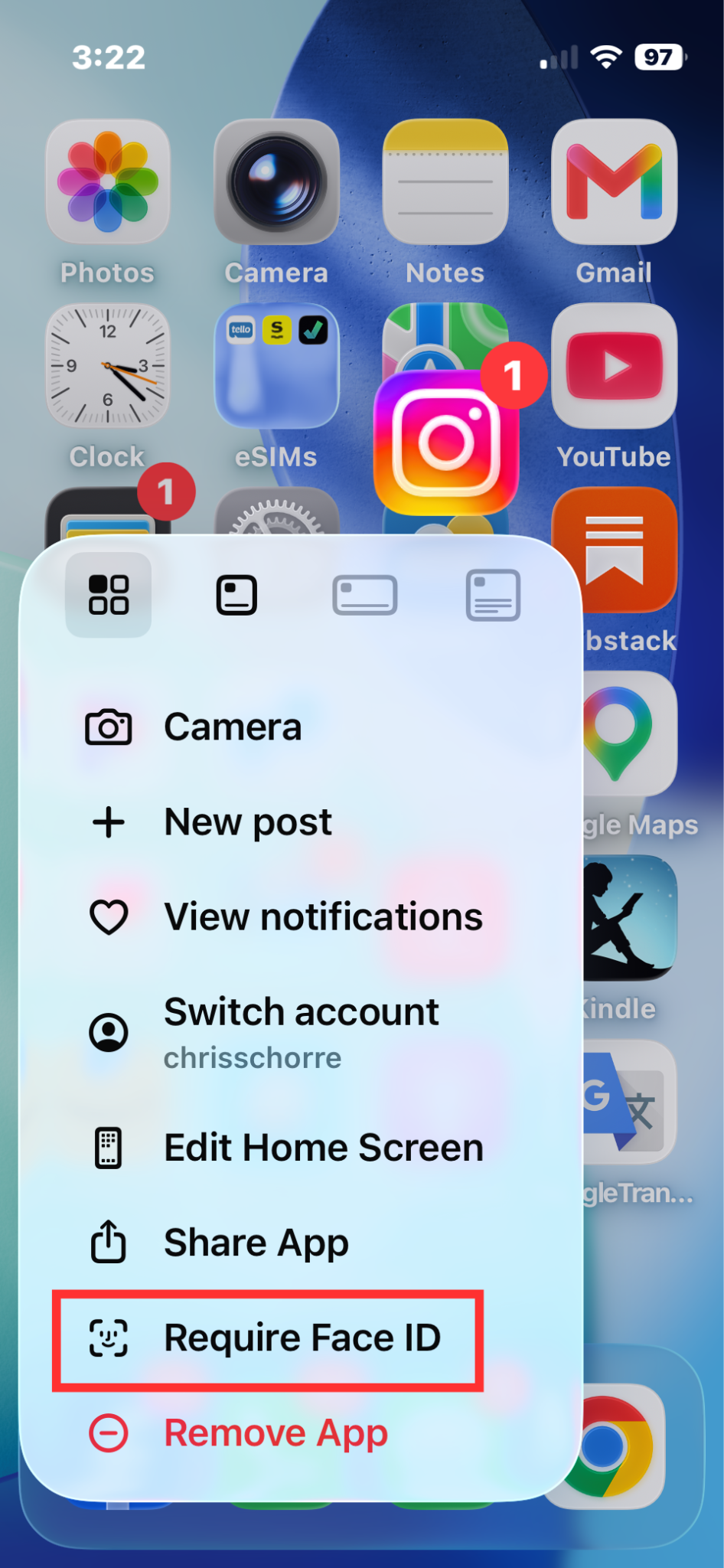
2. Require Face ID for important apps
This is my favorite iPhone security feature and one of the easiest to implement! Simply press and hold any app icon on your phone and then select “Require Face ID.” I do this for Gmail, Messages, Venmo, Chrome, credit card and other apps. It gives me the added peace of mind to know that even if a thief snatched my unlocked phone out of my hand, they would not be able to open these apps.
3. Make sure Face ID is required to unlock your phone
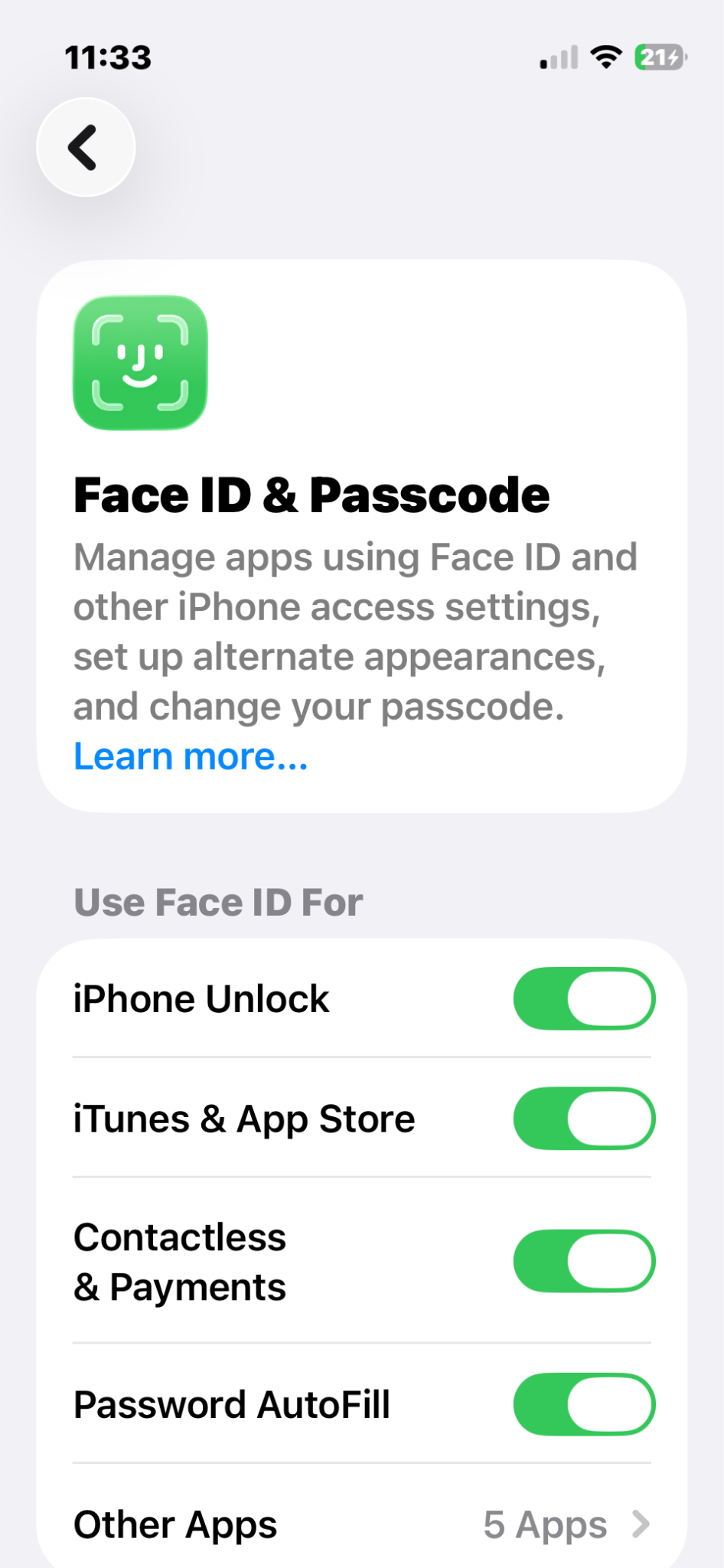
Once you have done that, navigate to Settings > Face ID & Passcode and make sure Face ID is required to unlock your phone rather than relying only on a passcode or only requiring this for apps. I also recommend doing so for Contactless Payments and Password Autofill. After doing so, cover your camera with your finger and try opening your text messages app. A message should pop up saying Face ID is required.
4. Require Face ID for Wallet and Control Center
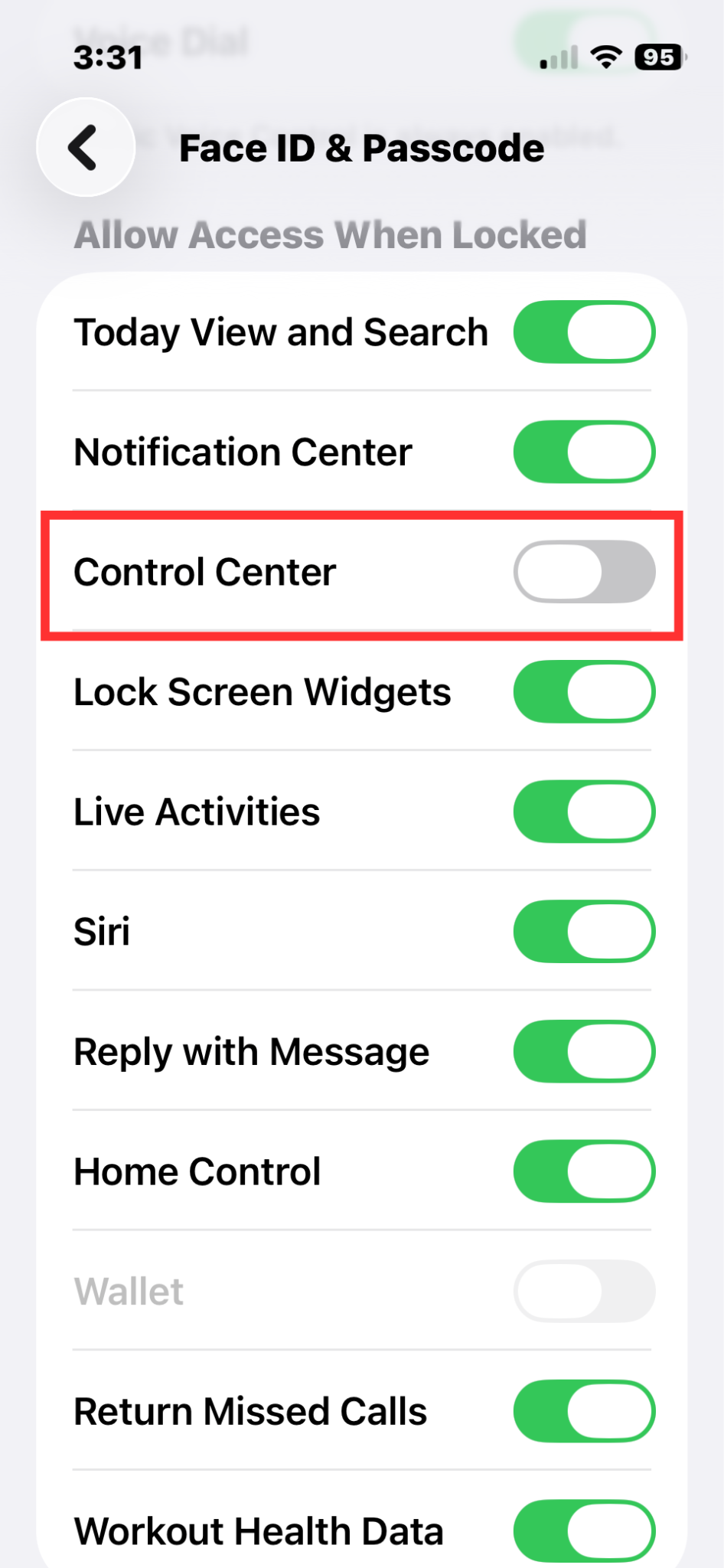
Now keep scrolling down on this page until you see the “Allow Access When Locked” section. Disable wallet (if not already disabled). Most importantly, disable Control Center so a thief cannot swipe down from the top right corner and turn on Airplane mode. This disconnects your phone from cellular and wifi, making live tracking the phone on the map impossible. It is still possible to track the phone using Bluetooth, using the same technology as AirTags.
5. Enable Stolen Device Protection
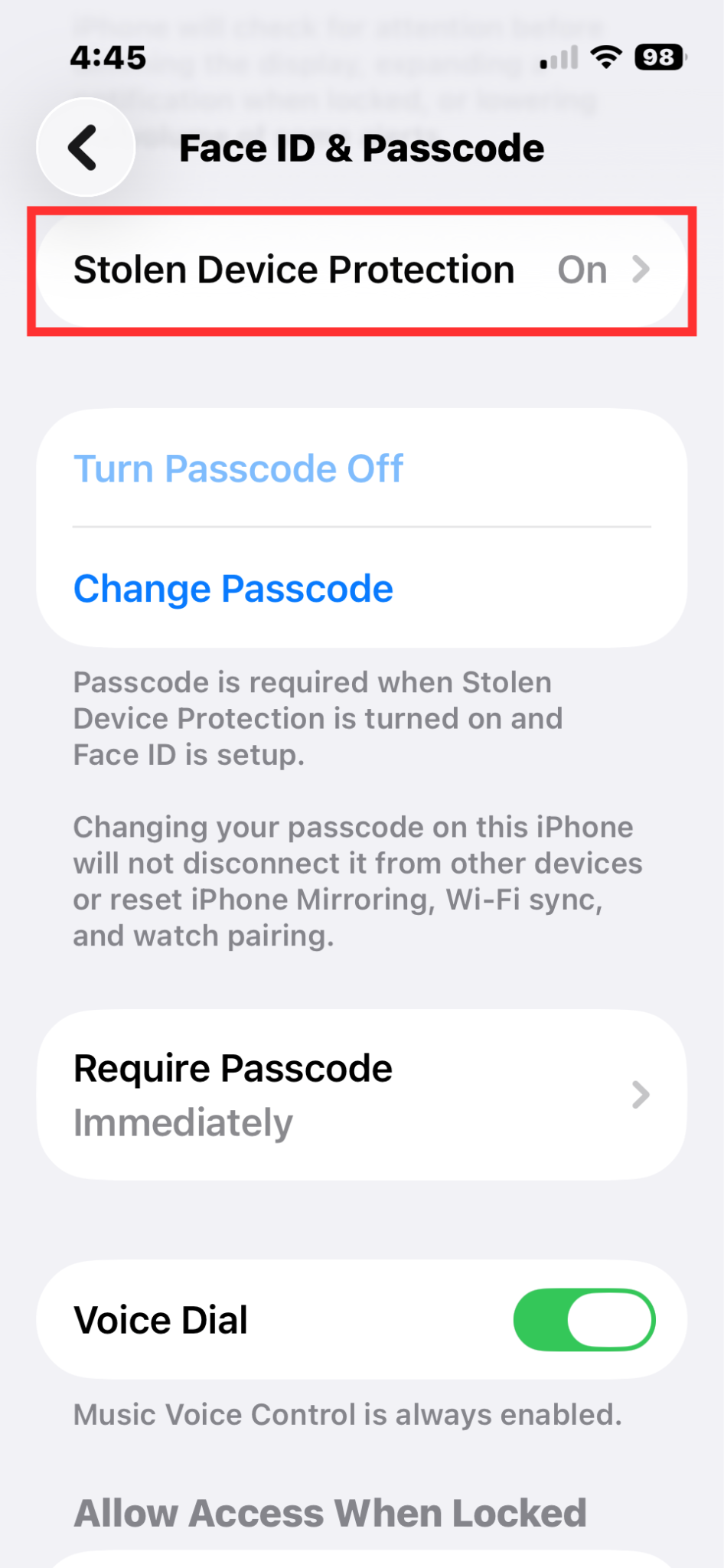
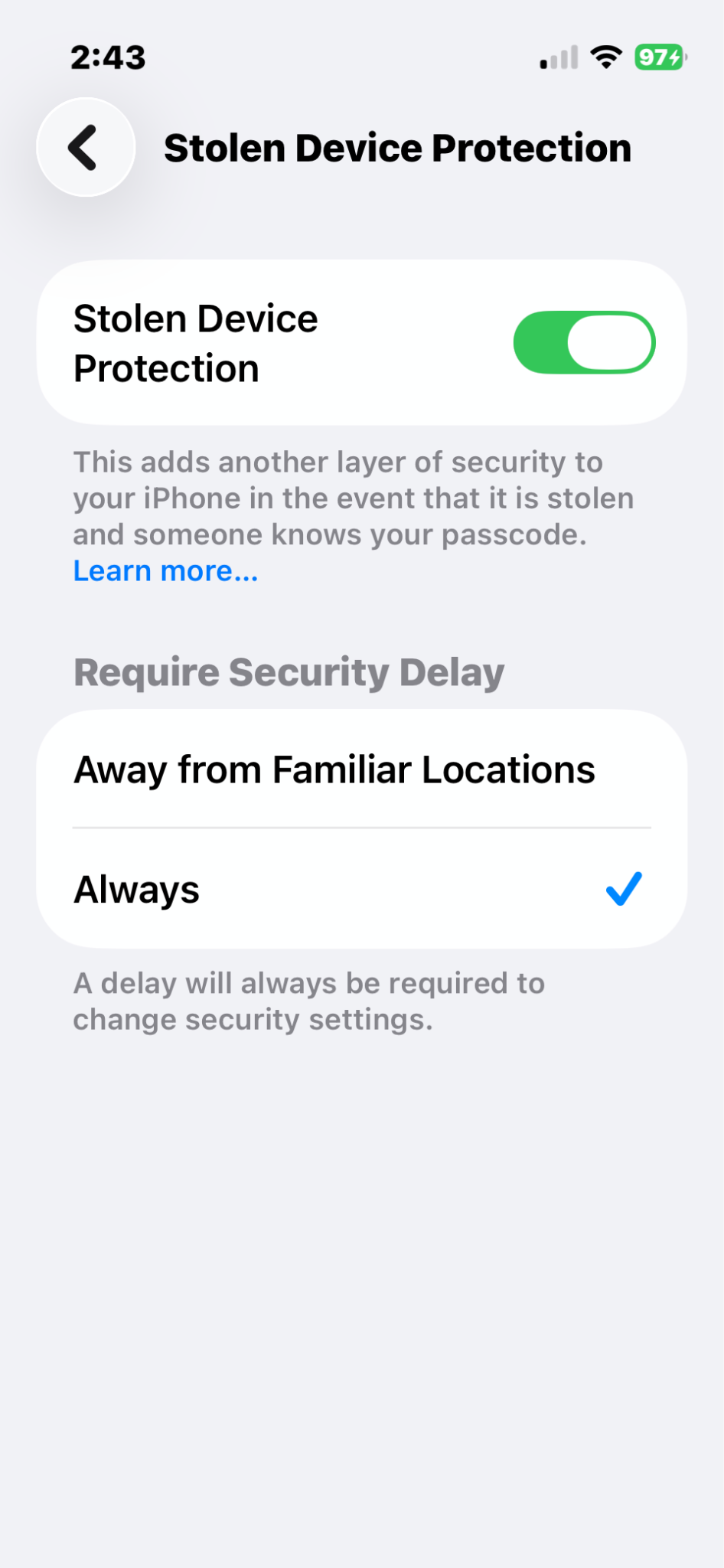
Ok, after you have done this, stay on Settings > Face ID & Passcode and enable Stolen Device Protection. This one is a biggie. Switching this on means that certain sensitive actions (like turning off Find My) will require biometric access. Also, critical changes (like changing your Apple account) will trigger a one-hour Security Delay which gives you time to mark your phone as Lost or Erase it remotely before a thief can make your day even crappier than it already was.
Personally, I like to set this to Always because we travel frequently but if you have a home base, “Away from Familiar Locations” is fine as well.
6. Turn on two-factor authentication
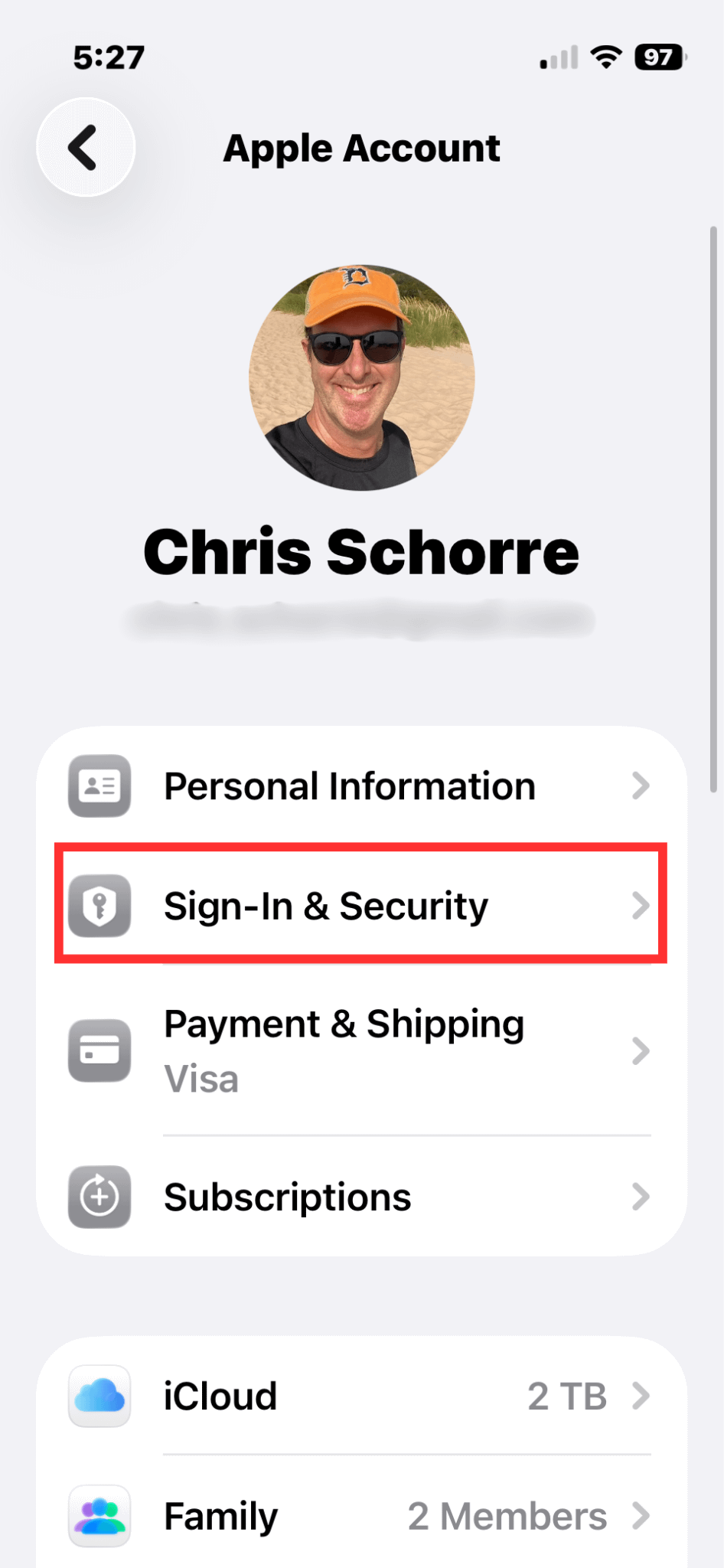
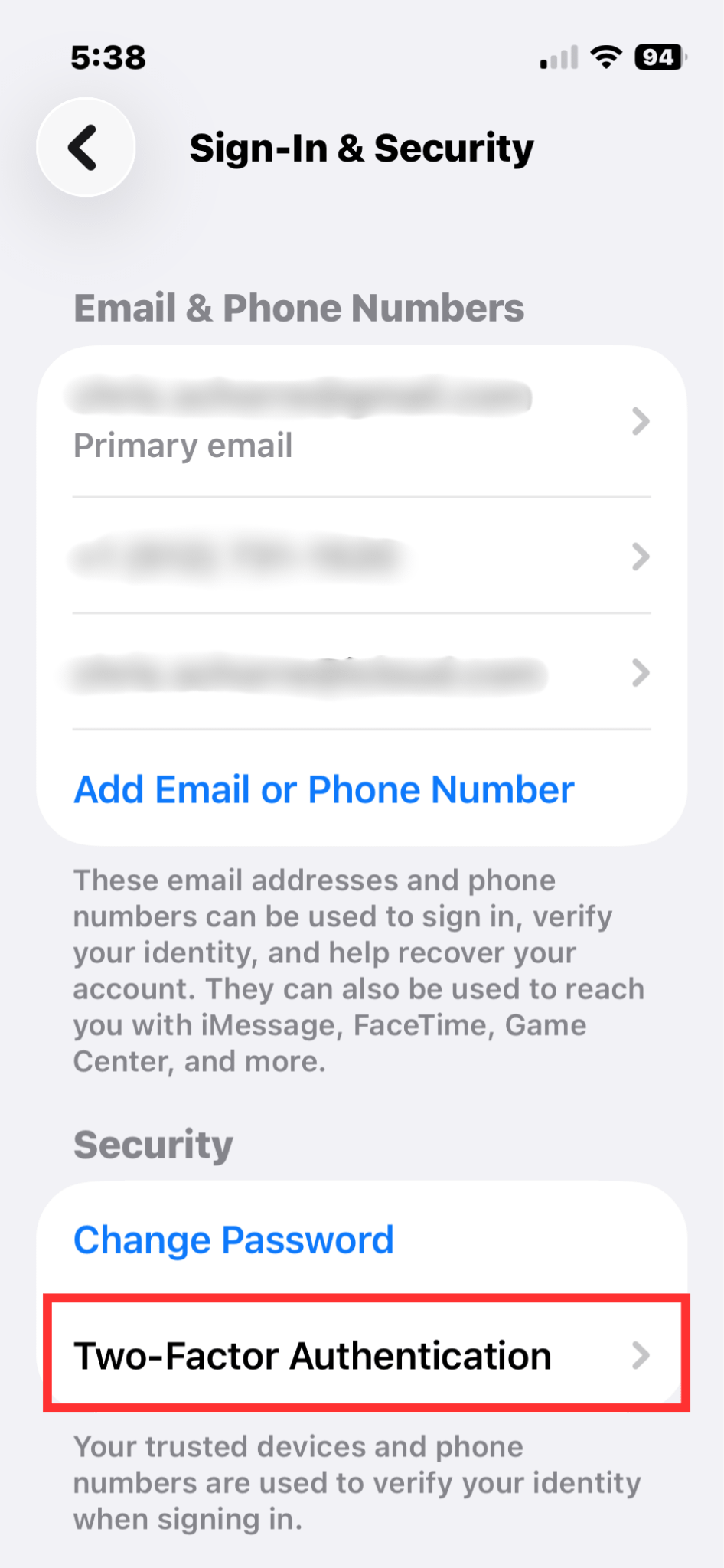
This is a second layer of defense that prevents unauthorized access to your Apple account, blocks stolen password exploits, secures Apple Pay and more. Open Settings > Sign-In & Security > Two Factor Authentication and then enabled it.
In busy tourist areas, use a street phone
In urban tourist areas where pickpockets abound (Barcelona, Paris, Buenos Aires, etc.), I pull out my backup iPhone 13 mini. I love it because it’s tiny and lightweight. Generally, I only use it for mapping and looking up information when out and about.
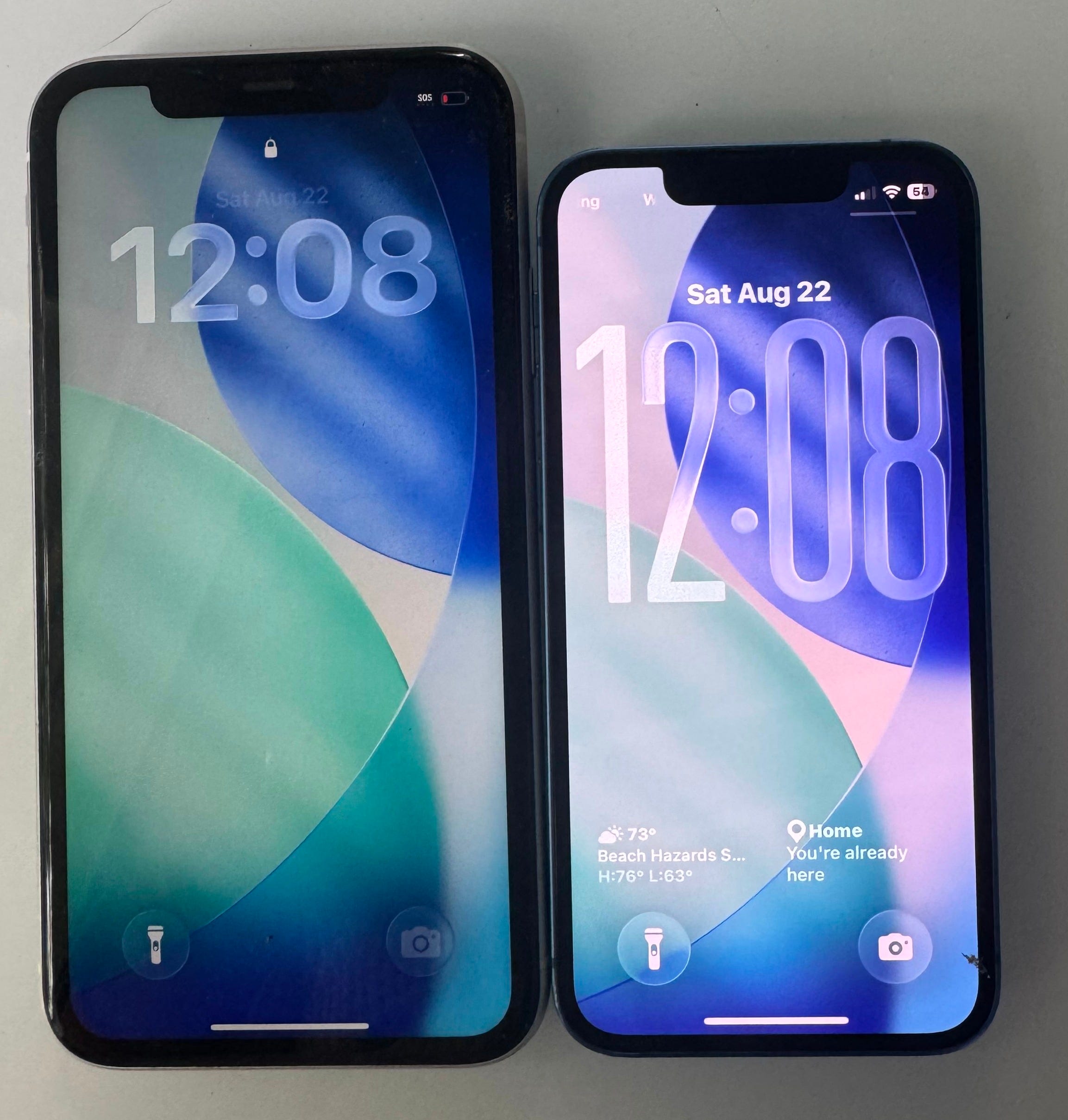
My backup phone…
Is preloaded with local Google offline maps so I have mapping without wifi or cellular
Doesn’t have any sensitive apps installed (banking, Venmo, etc.)
Doesn’t have email installed on it
Has nothing loaded in Apple Wallet and is not connected to my Apple account so if I lose it, I don’t have to worry
I keep my “new” phone tucked away safely in my bag. Having backup is especially important for solo travelers. If you have your previous iPhone (or any Android phone) sitting in a drawer, strip it down and bring that as a backup! Or, you can easily get an unlocked phone on www.swappa.com for under $200.
Parting thoughts
I want to reiterate that this article is meant to make your feel prepare, not paranoid! Overall, the chances are low that a thief is going to steal your phone and drain your bank accounts…and far lower if you take simple precautions noted above.
Have you ever had a phone stolen while traveling? What did you do immediately after? Let us know in the comments.

This is fantastic, Chris--thank you! I shared with my whole family.
Point of clarification re Two Factor Identification, Trusted Number, should the trusted number be your cell phone or someone else’s number (ie my hubby who I am travelling with)?